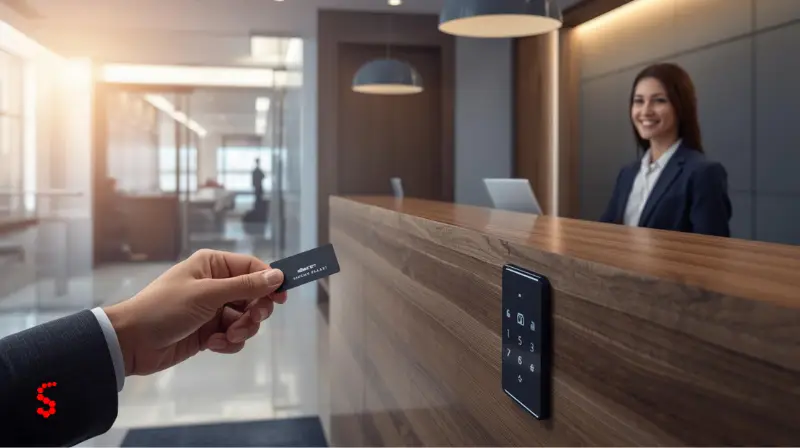

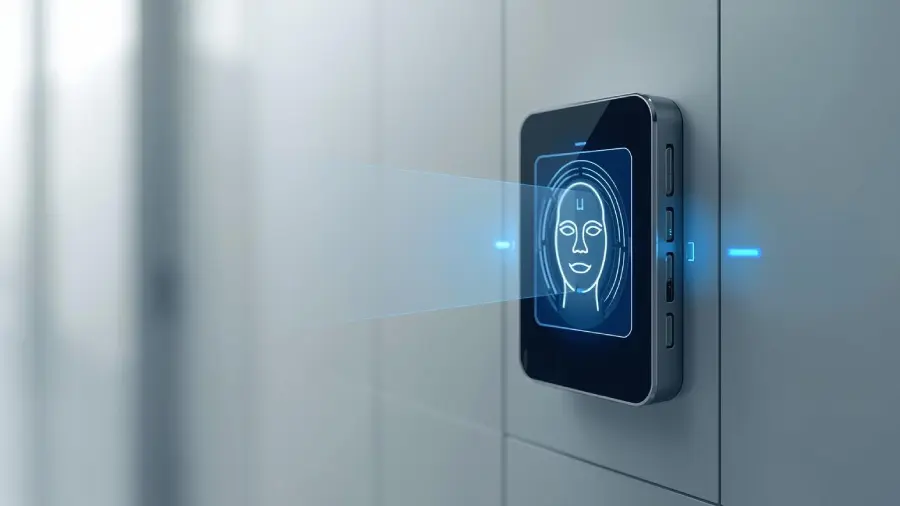
Imagine you’re stepping into your office or apartment building. You swipe your keycard, your fingerprint is scannned, and the door immediately opens. Like normal people, you don’t worry about it too much. But behind that simple swipe is a system designed to ensure that the right people gain access at the right time. That’s what we call an access control system, or ACS.
A door by itself is not really a security system — but security systems are configured around doors, areas, and levels of access. They provide companies with a more intelligent way to safeguard their buildings, devices and information.
From printing badges for high-security server rooms to controlling which employees have access to proprietary information on a corporate network, access control is at the core of modern security.
If you’d like to see how this applies in real life, have a look at some of the access control system types available for varying settings and security requirements.
Modern access control systems do not rely solely on traditional keys or passwords; instead, they use multiple factors such as ID cards, mobile apps, PIN codes, and biometric technologies like fingerprints or facial recognition.
That makes it easier to keep everything safe while also making things more convenient. At its core — the underlying goal in all this is simple: To keep people safe and make their day-to-day lives a little easier — for workers, visitors, and businesses, too.
How Access Control Systems Work
At its core, access control is a method of regulating who can or cannot enter a particular space or access specific resources. Instead of relying on At first, access control systems may seem overcomplicated, but in reality they are quite simple and follow very step by step process.
Like a lot of systems, the process starts when you need to log in to a door or system. It’s the “who are you?” — Maybe you’re showing an ID card, typing a PIN, or reading your fingerprint. After your identity has been established, the system proceeds to the authorization phase. This is where it knows what you’re allowed to do. Perhaps you can go into the main lobby but not the server room, or have access to your department’s files but not those of HR.
At last, the system reaches an access conclusion. If all of that complies with the rules, the door unlocks, or the system allows you in. Otherwise, no access. Each of these actions is then logged and audited so administrators can monitor activity, identify anomalies and maintain security.
Some systems are standalone, serving a single door or small office area. Others are cloud-based or networked and enable sprawling enterprises to govern access at hundreds of doors across multiple buildings, sites, or even countries. This versatility allows theaccess control system to serve the needs of a small office right up to a large multinational corporation.
Core Components of an Access Control System
There are a few fundamental components that comprise every access control system.
Readers First, there are readers, the hardware where users swipe or tap their credentials. That might be a card reader, a keypad, or a biometric reader. Then there is the controller, which could be called “the brain of the system.” The controller retrieves the data from the reader, compares it with the access rules and determines if entry can be granted or denied.
Next are the actuators: the components that open the door, gate or turnstile, physically. Without them the system could know when someone should be granted access but it would have no way to enforce it. Finally, there is the management software, the command center where you add users, establish rules, and keep an eye on activity. Together these parts form a system that’s smarter, faster, and more secure than mechanical locks and keys.

3 Types of Access Control Systems
There are various forms of access control, depending on your requirements:
By Setup
• Standalone Systems:
Ideal for a small office or a single door. Simple to manage and install.
• Networked or Cloud Systems:
Excellent for larger organization — such as multi building campuses or large offices — as you can control them all very easily from one place.
By Technology
• Physical Credentials:
Key cards, access badges, PINs, fobs.
• Biometric Credentials:
Fingerprint, facial recognition, iris checks.
• Digital Access:
App entry or digital keys on your phone.
By Policy Type
• Role Based (RBAC):
Permissions are assigned based on an individual’s job role.
• Attribute Based (ABAC):
Access control based on attributes, such as department, time and location.
Want to understand the two basics in depth? Learn about Access Control System Types
Smart Access Control Products
1. Smart Gates
Smart gates provide controlled entry for vehicles and pedestrians. Ideal for corporate campuses, residential complexes, and industrial sites, they integrate seamlessly with access control systems. By using authentication methods like key cards, PIN codes, or AI face detection, smart gates ensure that only authorized individuals can enter, improving both security and convenience.
2. Smart Door Locks
Smart door locks replace traditional keys with digital access methods such as PIN codes, key cards, or smartphone apps. They allow property managers or homeowners to grant temporary or permanent access remotely. These locks are perfect for offices, apartments, or homes that require flexible and secure access management. Smart door locks also integrate easily with other access control devices for a unified system.
3. AI Face Detection
AI face detection systems enhance security by recognizing authorized personnel in real time. They allow touchless entry, making them ideal for workplaces, hospitals, and high-security areas. Integrated with gates or smart door locks, AI face detection ensures a smooth and secure entry process while providing detailed access logs for monitoring and auditing.
Use Cases of Access Control Systems in Businesses and Smart Buildings
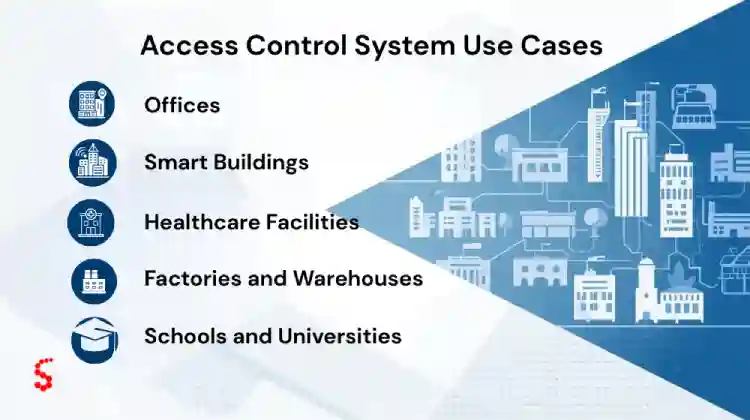
Access control is ubiquitous — sometimes concealed in plain sight:
- Officess:
Keep employees and visitors safe and manage visitor access with a structured access control system for offices. - Smart Buildings:
For a modern experience, integrate with lighting, HVAC and security cameras. - Hospitals:
Secure patient and restricted areas such as pharmacies. - Production Facilities and Warehouses:
Limit access to hazardous machinery or high-risk areas. - Schools and Colleges:
Control who accesses classrooms and dorms.
Rather than simply keeping doors locked, access control systems enable organizations to work smarter and safer.
Advantages and Security Benefits of Access Control System
Why do organizations rely on access control systems? Here are the biggest benefits:
- Stronger Security: Blocks attackers before they try to break in.
- Audit Trails: You can tell who has accessed what and when — great for safety and accountability.
- More Efficiency: No more bulky key rings, or changing locks when someone leaves.
- Flexibility: Different people, times and places – have different rules.
- Scalability: From one door to a hundred the system expands.
- Integration with Technology: Sync with cloud-based tools, mobile applications or building automation systems to complete your modern setup.
- Ready to secure your space? View Syncolony access control solutions
Conclusion
An access control system is not only for security personnel — it’s a tool that provides peace of mind and clarity in operations to any organization. Whether it’s keeping people safe or protecting information, a solid access control system helps make everyday life safer and simpler.
Access control is no longer an optional luxury—it’s a modern necessity.
FAQS
Frequently Asked Questions About Access Control System
It’s the system that tells who can come in, when they can come in, and what they can do inside (based on policies and credentials).
Readers, controllers, actuators, software to manage, and everything in between.
Yes. Biometrics such as fingerprints or face scans are not only difficult to fake, but they are increasingly being used in combination with other layers of security.
Authentication tells you who you are Access control tells you what you can do once you’re authenticated.
Have Questions?
Contact Us