
Security Isn’t a “Big Company Problem” Anymore
It’s 8:47 AM. The office is coming to life. Coffee machines hum. Laptops open. Slack notifications begin to ping. A man in a neat jacket walks past reception. No badge. No sign-in. No one stops him. Someone assumes he’s with IT. Someone else thinks he’s from marketing. He disappears into the hallway. Now here’s the uncomfortable question: Would anyone actually notice?
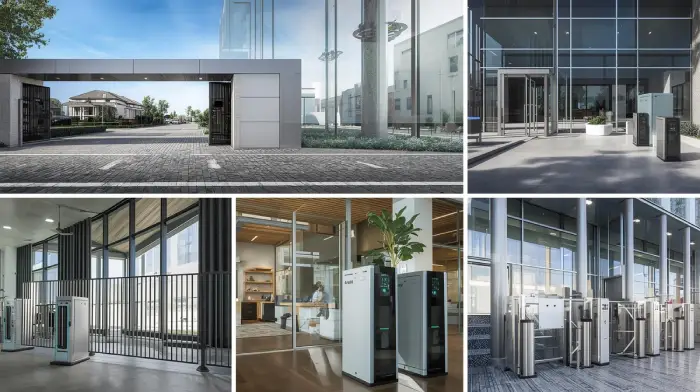
Modern offices are designed for openness — glass walls, collaborative spaces, hybrid teams moving in and out.
But as organizations grow, internal security rarely evolves at the same pace.
Understanding how to choose the right access control system for your business is no longer optional — it’s essential.
When there were five employees, everyone knew each other.
At ten, faces were still familiar.
At twenty, recognition becomes assumption.
At fifty, assumption becomes policy.
And assumption is not a security strategy.
Why Access Control System for Offices Matters More Than Ever
Access control is not about distrust. It is about responsibility. Employees walk into the workplace expecting three things:
- They are physically safe.
- Their data is protected.
- Sensitive areas are not accessible to everyone.
When those expectations are not structurally supported, subtle consequences follow:
- Productivity declines.
- Trust weakens.
- Risk exposure increases.
Security failures are rarely dramatic. They are usually procedural.
A former employee whose access was never revoked.
A shared PIN code that never changes.
A vendor granted “temporary” access indefinitely.
An unlocked server cabinet because “we trust our team.”
Trust is valuable. Trust without structure creates vulnerability.
Most Offices Get Security Wrong — Here’s Why an Office Access Control System Matters
Many companies believe they are secure because they have:
- CCTV cameras
- An alarm system
- A reception desk
- A paper visitor log
These measures provide visibility. They do not provide control. Cameras record what happened. Alarms react after something occurs. Only Access Control System for Office determines who is allowed to enter in the first place. That distinction — between visibility and control — defines modern workplace security.
Why an Access Control System for Office is Vital for Growing Offices: Managing Risks and Protecting Information
Growth introduces complexity. Complexity introduces exposure. As offices expand, they add:
- Departments
- Sensitive HR and financial data
- Client contracts
- Intellectual property
- External visitors
Yet many organizations continue operating with the same shared door code they used three years ago.
Without structured access control, growing offices face:
- Over-permissioned employees
- No reliable audit trail
- Delayed offboarding
- Limited emergency visibility
The weakness often remains invisible — until an incident exposes it.
How Access Control System for Office Actually Works
At its core, access control answers three questions:
- Who are you?
- Where are you allowed to go?
- When are you allowed to go there?
This framework is often referred to as AAA:
- Authentication – Verifying identity
- Authorization – Granting appropriate permissions
- Accounting – Logging activity
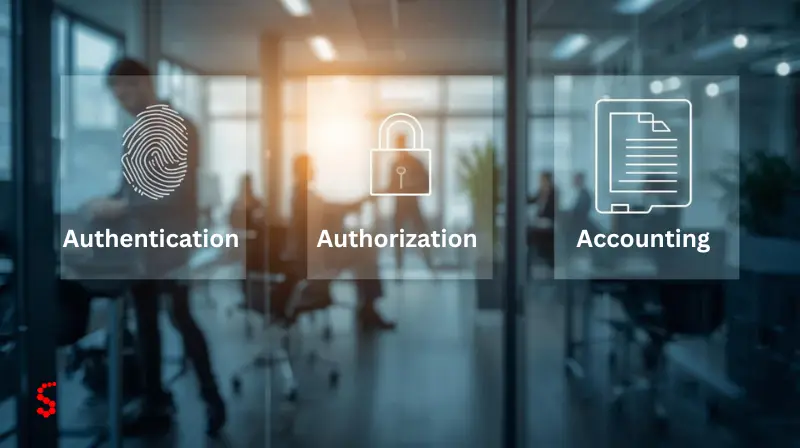
Translates to this in practice:
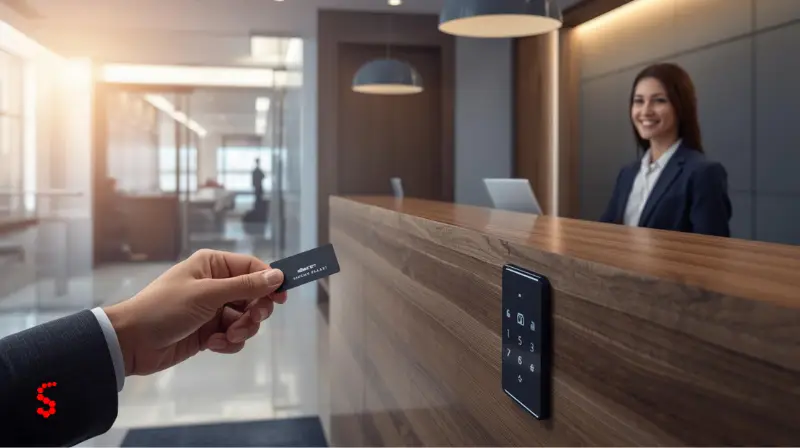
An employee taps a mobile credential.
The system verifies the identity.
It verifies permissions.
It unlocks — or locks out — access.
The event is logged automatically as well.
No guesswork. Check.
No manual logs.
No assumptions.”
Before evaluating specific criteria, it’s important to understand the fundamentals of access control systems.
The 8 Critical Criteria for Choosing the Right Access Control System for offices
Not all systems are equal. Some are over-engineered. Others are underpowered. The goal is alignment — not excess.
1. Role-Based Access Control
Access should reflect organizational structure.
HR should access HR.
Finance should access Finance.
IT should access infrastructure.
Permissions must be defined by role, department, and schedule.
If “everyone has access to everything,” the system fails its purpose.
2. Flexible Authentication Options
Methods of physical access pose unseen security threats in today’s offices. Keys can be copied without permission with relative ease. PINs are frequently shared among employees, either intentionally or otherwise, which makes auditing impossible. Access cards can be lent to one another and lost or stolen without any tracking or accountability of the users.
When credentials are not managed or tracked, organizations do not know who comes into their workplaces, or when. Small vulnerabilities turn into big security holes over time.
Modern systems should support:
- Mobile credentials
- Smart cards
- Biometric authentication (for sensitive zones)
- Multi-factor authentication where necessary
Not every door requires biometrics — but high-risk areas often do.
3. Comprehensive Audit Trails
If an incident occurs, can you answer:
Who entered?
At what time?
For how long?
Reliable logging protects organizations legally, operationally, and reputationally.
In some industries, access logs are not optional — they are part of compliance requirements.
4. Visitor Management Integration
Employees make up only a portion of the security equation. Every day vendors, contractors, people you’re interviewing with, delivery people and clients walk through your office space. These temporary visitors may generate unexpected security holes if not properly controlled.
A holistic visitor management system further enhances your office access control protocol by having every visitor checked, verified and tracked. Utilizing pre-registration, temporary credentials, time-limited access, automatic revocation, and more, you can keep track of who is in your building at any point in time.
For instance, a dedicated Visitor Management System can be used to simplify the process of checking in, keep digital logs of visitors, and revoke access automatically once a visit is over. This decreases the amount of manual administrative work required and greatly enhances compliance and audit preparedness.Without regimented visitor control, the most sophisticated internal access control system suffers a blind - spot—
5. System Integration
Access control should not operate in isolation.
It should integrate with:
- HR systems (automated onboarding/offboarding)
- CCTV
- Attendance tracking
- Alarm systems
- Emergency response platforms
When an employee leaves the company, access should be revoked instantly — not manually.
Automation reduces human error.
6. Scalability
Can the system grow from 10 employees to 100 without replacement?
Scalability means:
- Adding users easily
- Expanding door coverage
- Supporting new locations
- Upgrading credentials without infrastructure overhaul
Growth should require expansion — not reinvestment.
7. Administrative Efficiency
Physical keys carry hidden costs:
- Rekeying locks
- Lost key replacement
- Manual tracking
- Administrative time
Digital access reduces overhead and minimizes operational friction.
For example, rekeying a single office after losing a master key can exceed the cost of issuing dozens of digital credentials.
8. Emergency Readiness
During an emergency, clarity matters.
Modern systems provide:
- Real-time occupancy visibility
- Muster reporting
- Remote lockdown capability
- Integration with fire systems
In critical moments, structured access can significantly improve response efficiency.
The Right Access Control System for Offices: Tailored to Your Office Size

Security needs vary based on structure and risk exposure — not just headcount.
Access Control for Small Offices Small Offices (1-10 Employees)
For small teams, less is more. The idea is not to build out a full enterprise infrastructure but to remove frivolous attack surface. Usually one or two controlled doors, cloud-based management and mobile or card credentials are more than enough. Basic activity logs let you monitor access without making things too complicated.
Access Control for Small Offices Medium Offices (10–50 Employees)
It’s only when your office is expanding you start to mind about the structure and flow. Manual tracking is unworkable, automation is needed. Such features as role-based zoning, scheduled permissions, visitor management, and full audit logs enable you to handle access efficiently while you keep security. Here, access control is not about doors, but who can go where and “when”.
Access Control for Small Offices Large Offices (50+ Employees)
In large offices, access control is the nerve center of your infrastructure. You’re not just opening doors anymore, you’re managing the flow of people all over the organization. Granular permissions, tiered authentication, centralized dashboards, integration with other systems, emergency reporting features are all essential. At this point, the door access control system in the office secures the company and the work.
Why Investing in an Office Access Control System Makes Financial Sense
Many people focus on office security and the upfront cost of an access control system. But the real question isn’t “How much will this cost?” — it’s “What problems and expenses can it help me avoid?”
The price of an the access control system for office depends on several factors: the number of doors, the number of users, the type of credentials, integration needs, and installation complexity. But these numbers only tell part of the story.
A well-designed system can deliver a surprisingly high return on investment. It reduces opportunities for theft, allows immediate control when employees leave, provides legal documentation through access logs, lowers administrative overhead, and can even improve your standing with your insurance provider.
In practice, the cost of uncontrolled access — through errors, breaches, or inefficiencies — is often higher than the investment in a smart office access control system. Simply put, a well-implemented system pays for itself many times over.
What makes an effective office access control system isn’t necessarily having the most bells and whistles. It’s just the one that fits the needs of your company or organisation.
What Defines The Access Control System for Offices?
An excellent system will consider:
- Company size: Small, medium, and large companies have vastly different security needs.
- Your risk profile: It should be tailored to the specific threats to your business.
- Regulatory requirements: Your access controls will need to comply with industry regulations as well as your own internal policies.
And your plans for growth – An adaptable solution can grow with you without introducing unnecessary complexity.
We want structured, predictable, effective security, not security that confuses us or adds complexity to our lives.”When done right, an office access control system can give you peace of mind, safeguard your assets, and keep up with your company as it grows.
conclusion
Offices do not remain static. Teams expand. Role changes. More data are being generated. More visitors pass the door.
But access doesn’t control itself.
What worked when your company was five people isn’t going to work the same way when you’re 50.
If your company has multiple teams, deals with sensitive data, or is thinking about growing soon, access control is not a “nice to have.” It’s part of the foundation.
And it’s not about acquiring more tech for the sake of having it.
It’s about being deliberate — establishing the proper structure before you have to, not after you need to.
A security system for the right access doesn’t just protect doors.
It protects trust. It protects accountability. It protects your future.
If you want to go deeper, check out our office access control solutions and see what smarter security can really look like.
FAQ
Frequently Asked Questions About The Access Control System for Offices:
Yes. Small offices can benefit from this type of system as well. Access control is a good best practice no matter how many employees you have: From 1 to 10, it’s a good idea to patch up vulnerabilities without complicating your security stance. Simple solutions such as controlling one or two door, cloud-based management, and using employee mobile phones or pre-issued cards can provide an effective defense for office security.
All employees who visit sensitive locations should be using the right permissions. Need for a small office access control system may seem far-fetched but it’s the right decision:
• Small offices (1–10 employees): basic access control is sufficient.
• Medium offices (10–50 staff): Role-based permissions must be automated, plus visitor management, audit logs.
• Large offices (50+ staff): multi-level permissions, centralized dashboards, and advanced authentication are necessary.
You need to put access control in that part of your office which poses the greatest risk. Typical manners of control are around:
• Server rooms and IT infrastructure
• Finance and HR offices
• R&D labs, or anywhere sensitive intellectual property is stored
• Rooms with client contracts or confidential information
• Areas where vendors or temporary workers swarm in and out
When you use an office access control system, you make sure these important areas are locked down for the eyes and hands of only those authorized to see and touch.
The price of an office access control system depends on the size of your office, how many doors need to be secured, how many users you have, and the type of credentials you use. The cost may vary depending on the integration requirements and the application complexity.
Don’t just look at the initial cost, but also consider the benefits: less theft, offboarding control, legal audit logs, less administrator workload, better risk management, and better insurance.
Access control needs to be managed by your IT, Security, and HR teams. When integrated correctly, an office access control system streamlines the hiring and termination process, minimizes human error, and guarantees that employees, contractors, and visitors are provided with the right access level at every moment.
AAA is shorthand for Authentication, Authorization, and Accounting - the foundational principle of any office access management system:
Authentication: Proving who you are with credentials such as mobile access credentials, smart cards, or biometrics.
Authorization: What areas you are allowed to go to.
Accounting: Recording every access event for auditing and compliance.
Although the 7 P’s of security management are not directly included in your source, it does cover: The 7 P’s of Office Security are those at the foundation of any well-rounded security policy—
1. Policy: Establish the rules of access and governance.
2. People: Staff, vendors, and visitors.
3. Processes: Access control and incident management procedures.
4. Physical products: Doors, rooms, and gadgets.
5. Protection: Locks, credentials, alarms, and monitoring.
6. Planning – Performing a risk analysis and business continuity planning.
7. Performance monitoring: Audit, report, and reviewing systems.
By following this advice to ensure your office access control system is both effective and low-risk.
Have Questions?
Contact Us